Colour variants from base colours with OKLCH, CSS relative color, and CSS functions
Many others have covered the manipulation of colour in CSS. This is me documenting what has worked for me, practically, 'in the wild'.
It is a common requirement to need a variant of an existing colour. Think about the borders for a visual pod/component; it may have a background colour but you need some variant of that colour for the borders.
Of course, a designer may provide those colours, but creating variants from a single colour can be advantageous for both speed and efficacy. An example is required. We have a display of Lego bricks. Each of these bricks has a background colour, and a border, both derived from a single hex colour. The starting primary colour I have picked by eye-balling what I think was the dominant colour of the brick image.
An example
Here is the finished result: https://benfrain.com/playground/color-variants/
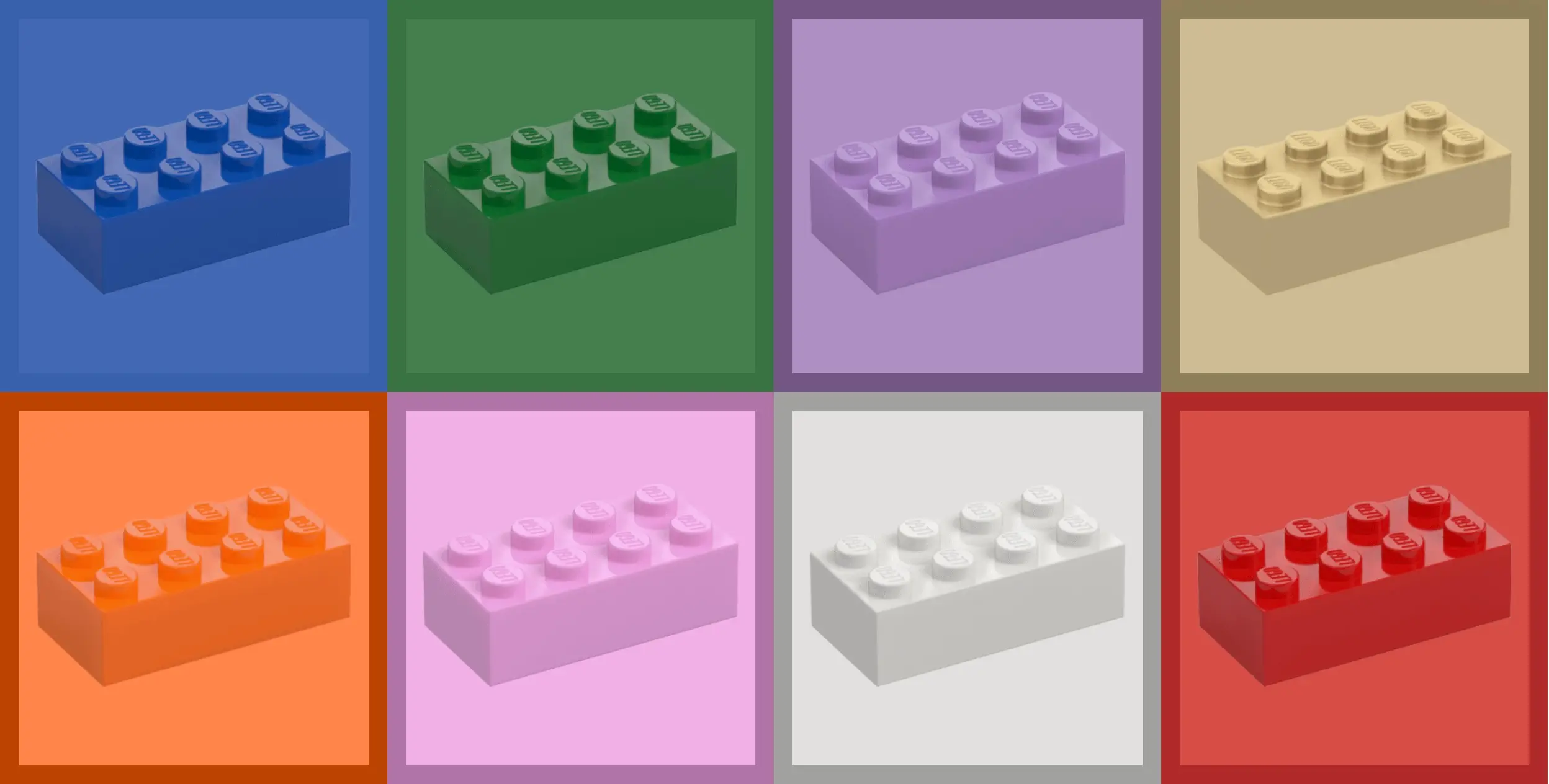
Now for my preferred means of creating the variant colours. The markup is very straightforward for each block, a <div> containing an image.
<div class="brick" style="--primary-color: #276133">
    <img src="./Green.png" alt="Lego brick" />
</div>
And here is the CSS:
.brick {
    background-color: oklch(from var(--primary-color) calc(l + 0.1) c h);
    border: 15px solid
        oklch(from var(--primary-color) calc(min(l - 0.1, 0.5)) c h);
}
The approach
What's interesting (well hopefully, or like, what are you doing even reading this? 🤷♂️), is that the border is the primary colour with the lightness either increased or decreased. Now I use 'lightness' very specifically here because there are plenty of ways to manipulate a colour. You can use color-mix to add various percentages of colours, and in this situation, people often tint or darken a base colour by mixing in white or black respectively. For me that's not as effective as what we are doing here; in semi-layman's terms, we are bringing a colour into oklch colour space, separating out the constituent parts of Lightness, Chroma, and Hue, and opting to increase/decrease just the Lightness.
I have opted for oklch over lch, as oclch is the OK version of LCH. Oklch addresses well-documented short-comings in 'normal' LCH, such as less predictable uniformity, and an ugly blue to purple hue shift in darker shades. The bad news is you have to type oklch instead of just lch every time. Either would allow you to adjust the Lightness though as I will be doing here. It's also arguably preferable to use values 0-100 for lightness (LCH) rather than 0-1 (oklch) so there's that.
So the value we are using is the existing colour but lighter. But if we boost all colours by an amount, lighter colours are going to be lighter still compared to others. This is only likely a problem if you have a number of coloured items together as a collection on a page. As is the case with our Lego bricks.
Providing adjustment limits
To solve this issue and add some extra predictability, we are using a calc(), and a min or max function to provide a limit, returning us in our example either (takes deep breath), the smallest value of either the lightness of the colour increased by .1, or a lightness value of .5. So, we will never get a colour with a lightness greater than 0.5.
Depending on use case, you will need to amend your calculation. There have been instances where I have wanted a very narrow latitude for my derivative colour, and that calculation might look like calc(l + .3, .4) so the most difference I will see is .09 in the lightness between colours.
This would be useful if you are doing a linear gradient on a border between two colours where the lightness of the two given colours may be very different but you want to ensure the lightness of the two colours is very equal – LCH is great at perceptual lightness so two colours, regardless of hue, with the same Lightness value, should look perceptually just as light.
In fact, let's look at that next…
Adjusting the hue, but clamping the lightness
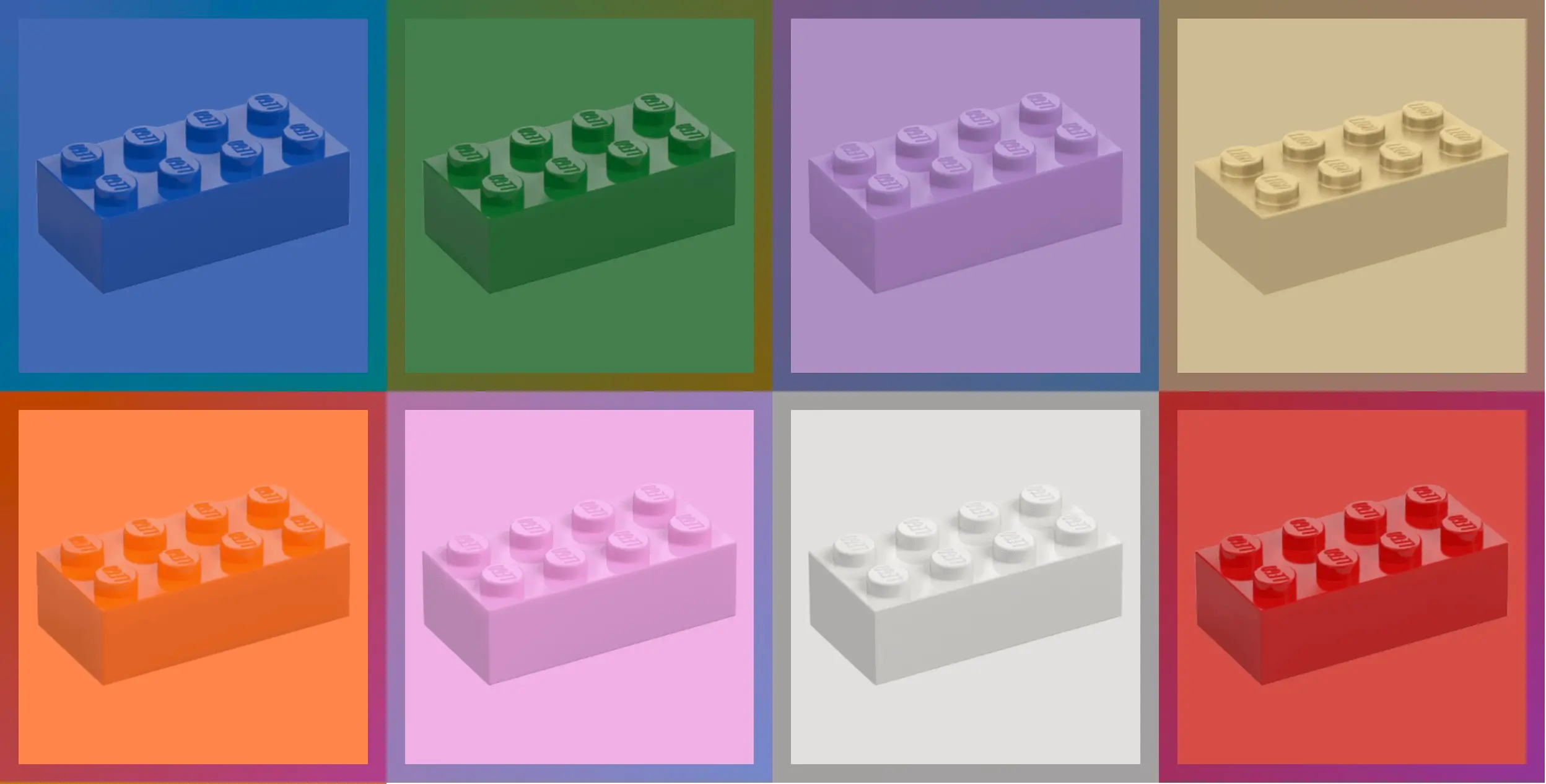
The second group of blocks, are using a slightly different approach.
I want a gradient on the border, and as it isn't rounded, I can go for the simpler border-image approach, over the more flexible but complicated mask exclusion approach.
The gradient is made up of two colours, the first exactly as we did before, the second exactly as before but with the Hue moved 60 degrees (the wheel is 360deg so that's a nice 6th of the wheel difference).
.gradient-brick {
    background-color: oklch(from var(--primary-color) calc(l + 0.1) c h);
    border: 15px solid transparent;
    border-image: linear-gradient(
            to bottom right,
            oklch(from var(--primary-color) calc(max(l - 0.1, 0.5)) c h),
            oklch(
                from var(--primary-color) calc(max(l - 0.1, 0.5)) c calc(h - 60)
            )
        )
        1;
}
And, unlike when manipulating other 'dials' of colour functions, we still get colours that are fairly equal in terms of perceptual lightness.
Summary
We learned that colour manipulation with CSS is very powerful.
- Leveraging
oklchis a great option where we want variants of colour. - We can create boundaries of the resultant colour with
min()andmax()functions - We can create variants with Hue changes too, and still get a colour produced with a similar brightness
- One size/manipulation does not fit all. I'm a big fan of changing lightness in oklch colour space for border colours, but a different manipulation would be better for other scenarios.
Leave a Reply